inMotion Data Products in GIS Software
Before you start
Available onFreeSharedDedicatedSelf-Hosted
Any Data Product with a spatial grid that your account can read can be added to QGIS, ArcGIS and other GIS software, or to a web map,
as a layer. The software draws the product from inMotion as you pan and zoom, so there is nothing to download.
- You need an API key for the account. Create one under Settings → API Keys in Studio.
- The key shows only its own account's products. A product in another account behaves as if it does not exist.
- GIS software cannot send headers, so the key is given as the
apikeyquery parameter on every address. - Address of the map server: your inMotion administrator can tell you this. It is shown as
https://maps.example.combelow.
Add the layers in QGIS
Use WMS to draw a product at any scale and as it changes with time, or WMTS for fast tiled maps.
 The same addresses work in ArcGIS, Leaflet, OpenLayers and any other client that reads OGC capabilities.
- Open Layer → Add Layer → Add WMS/WMTS Layer and choose New.
- Give the connection a name, and set the URL to the capabilities address (below), with your key on the end.
- Choose Connect, select the layers you want and choose Add.
- WMS:
https://maps.example.com/?SERVICE=WMS&REQUEST=GetCapabilities&apikey=YOUR_KEY - WMTS:
https://maps.example.com/wmts/1.0.0/WMTSCapabilities.xml?apikey=YOUR_KEY
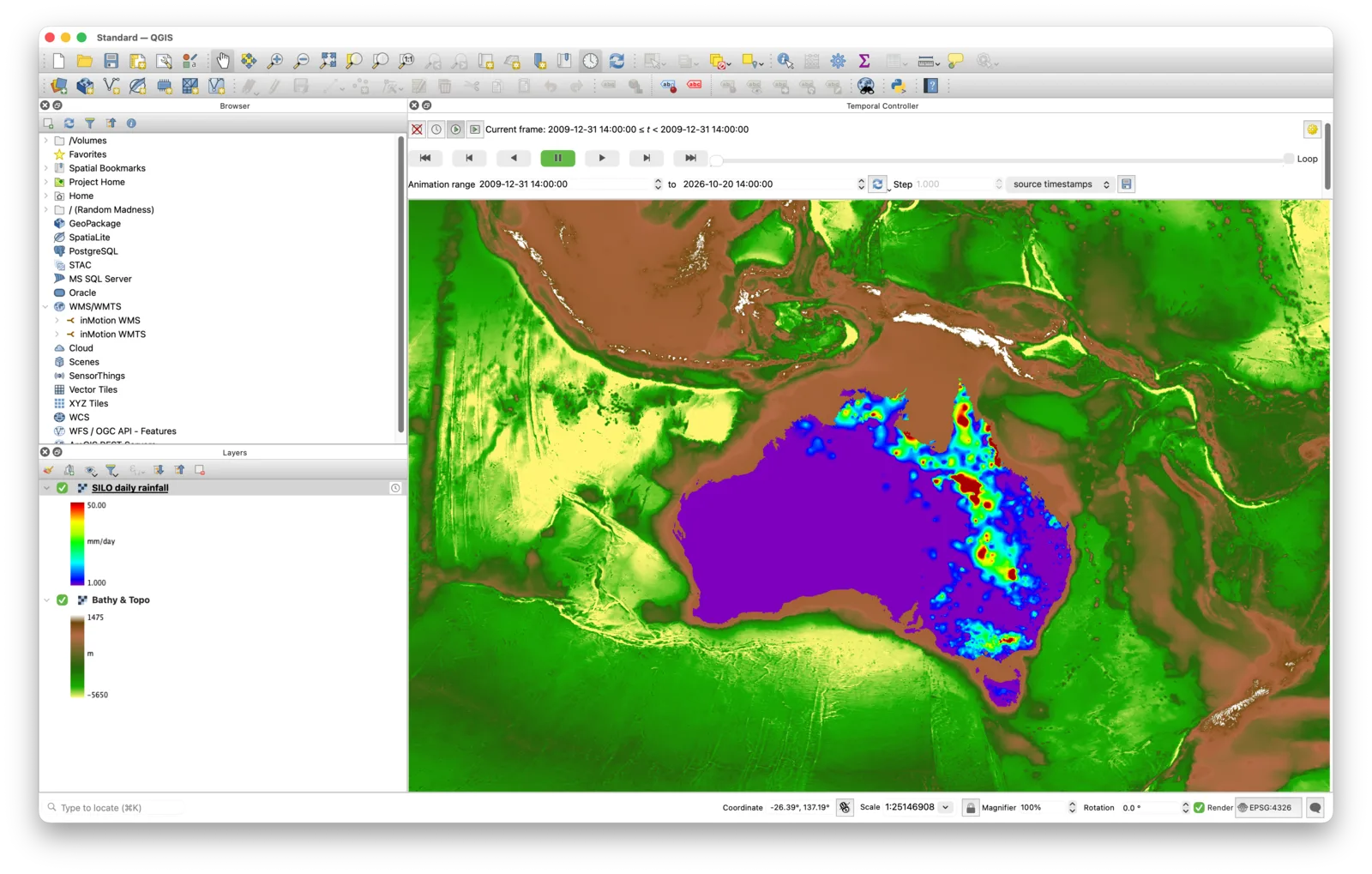
A rainfall Data Product drawn in QGIS over a base layer. The Temporal Controller steps it through time.
Layer names
Each mapped variable of a product is a layer, named after the product and the variable: the product's name in lower case, with a dash for
anything that is not a letter or digit, then a colon and the variable. A product called Daily rainfall with a variable
The product's identifier in place of its name is still accepted, so addresses made earlier keep working. Products that are meshes, rather than grids, are not served yet.
rainfall
becomes daily-rainfall:rainfall.
The product's identifier in place of its name is still accepted, so addresses made earlier keep working. Products that are meshes, rather than grids, are not served yet.
Time and levels
A product with a time coordinate has a
time dimension, and one with levels such as depth has an elevation dimension.
- In QGIS, turn on temporal control for the layer to animate it through time.
- In a plain request, add
TIME=2024-07-23T14:00:00ZorELEVATION=-10. - With no
TIME, the latest time is drawn.
Styles and legends
The
STYLES parameter names a colour ramp, such as viridis, spectrum, bathymetry or
topography. The range comes from the product's own display settings in Data Products
where it has them, otherwise from its standard data type, otherwise from the data. GetLegendGraphic returns a colour bar with
the range and units, and GetFeatureInfo returns the value at a point you click, as text or JSON.
Limits and attribution
- Maps are at most 1024 × 1024 pixels; the software asks for more tiles instead.
- Coordinate systems are Web Mercator (
EPSG:3857),EPSG:4326andCRS:84. - Tiles follow the standard
GoogleMapsCompatiblegrid, zoom levels 0 to 19. - The copyright and licence of each product are carried in the capabilities. Keep them with any map you publish.